Trading

Transaction Description

The exchange is a hybrid transaction mode, which provides an order book function off the chain, all settlements are completed on the chain to ensure the security of funds, and contracts are deployed on the BSCchain , so it supports BSCasset transactions on the chain. The trading steps are divided into the following parts:

  • connect wallet
  • select trading pair
  • Approve Token
  • Submit orders
  • Cancel the order (optional)
  • Waiting for order transaction

    Connect Wallet
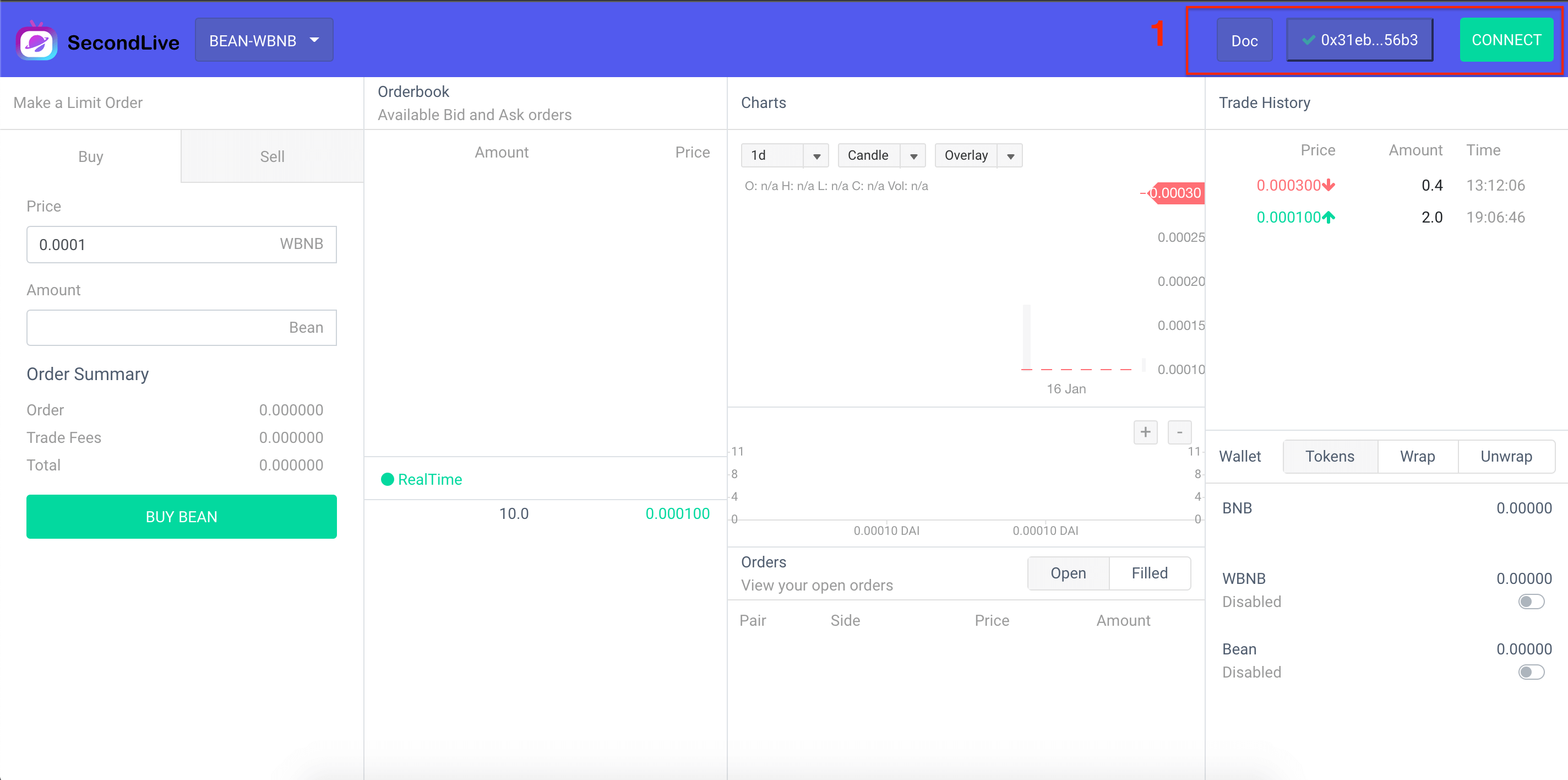
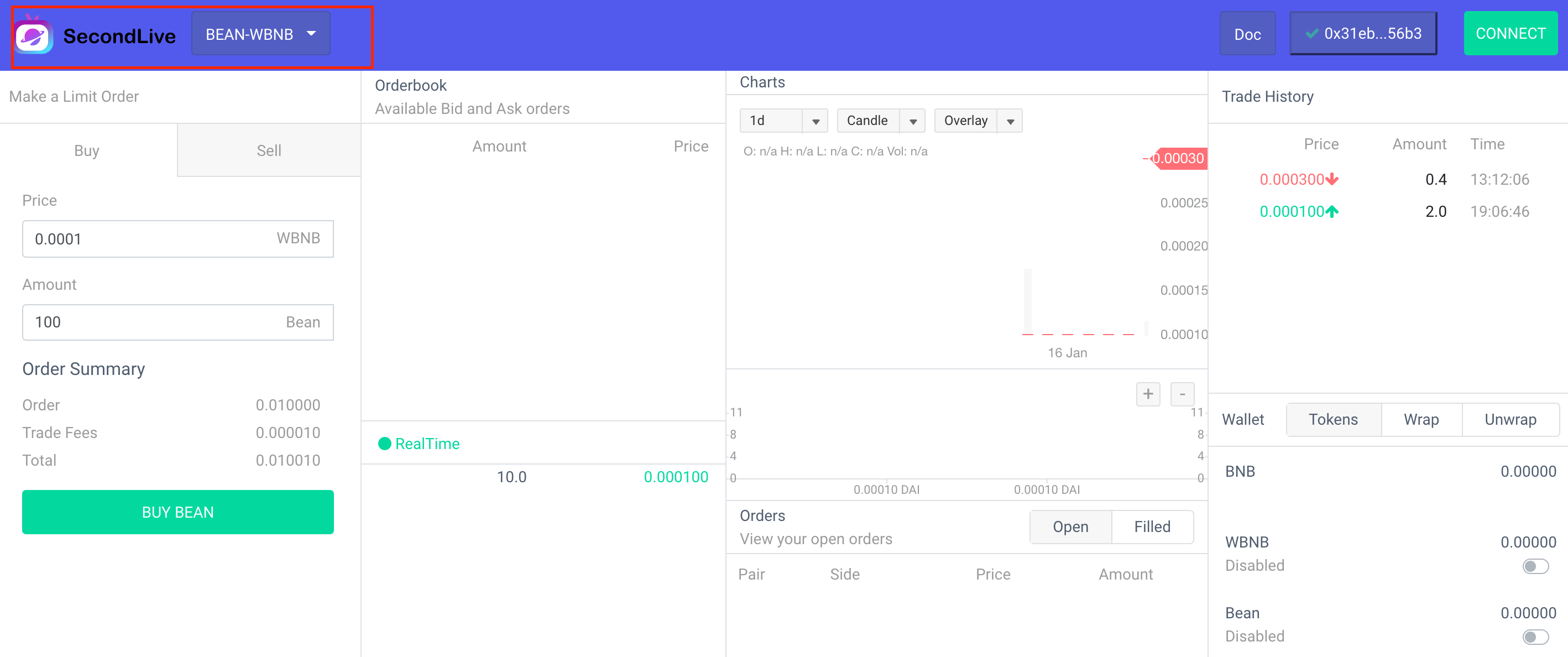
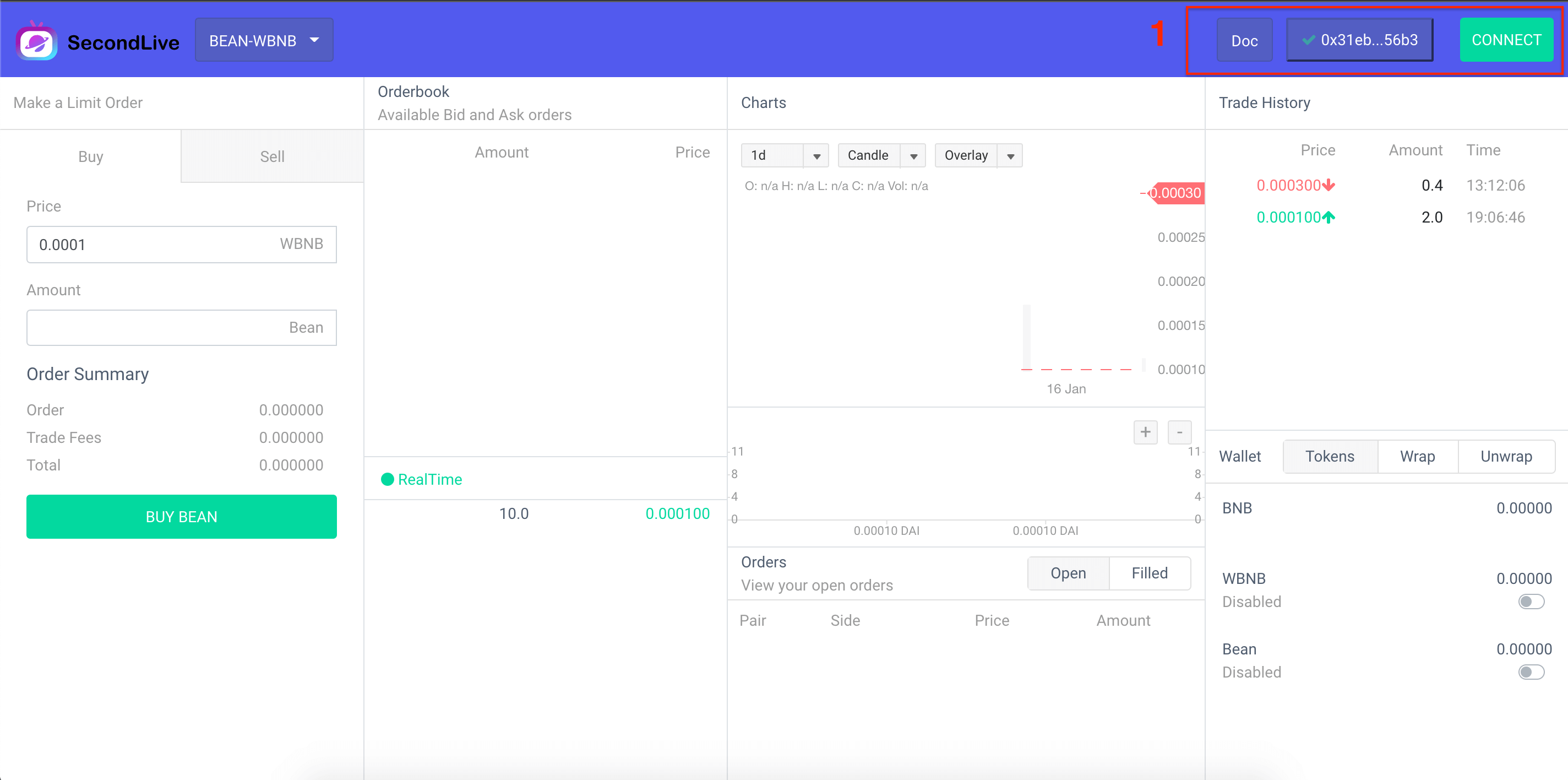
    As shown in the figure above, this transaction contract is deployed on the BSC chain, and it needs to be used metamask and switched to the BSC main chain. Click the CONNECT button in the upper right corner to complete the connection request. Only after the connection is completed can the dapp transaction account address be known.

Select Trading Pair
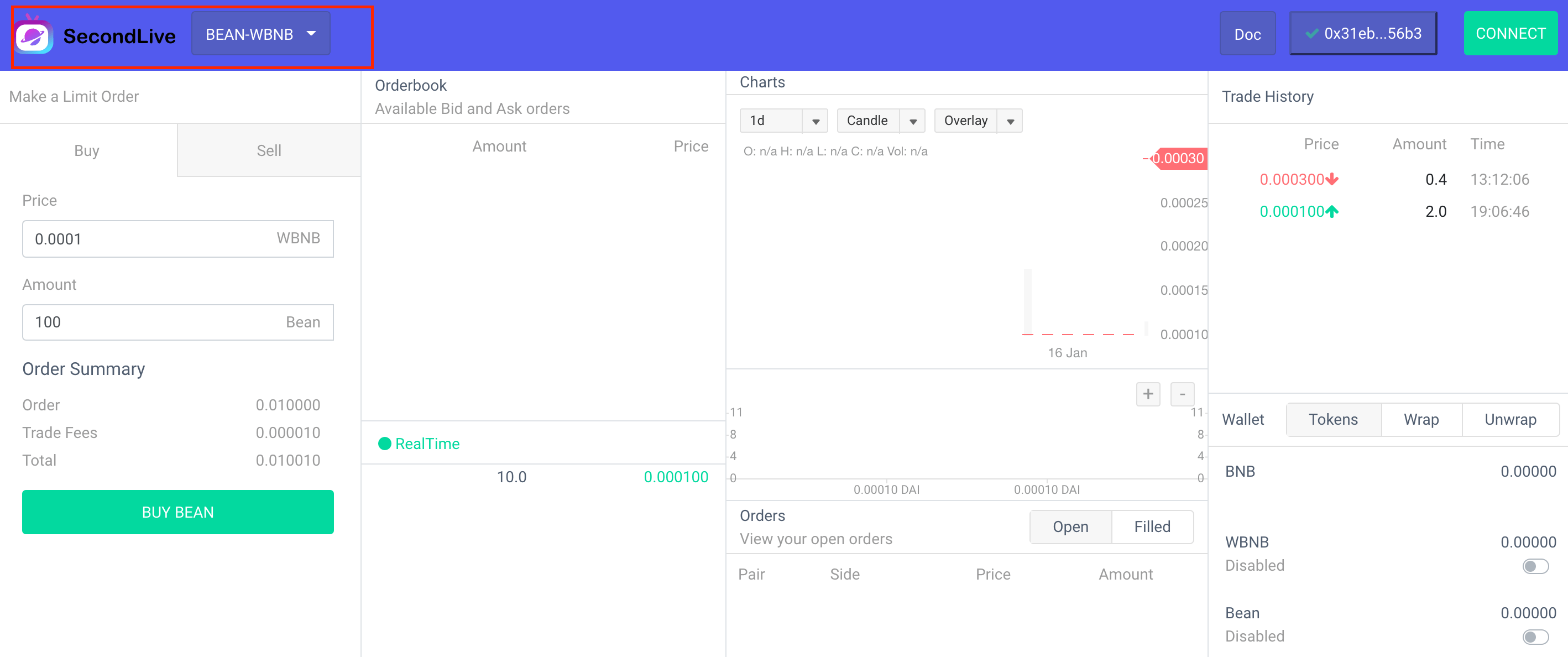
As shown in the figure above, you can select the trading pair information you want to trade in the dapp upper left corner . Please note that the contract runs on the BSC chain and only supports on BSC-chain asset transactions.

Approve Token
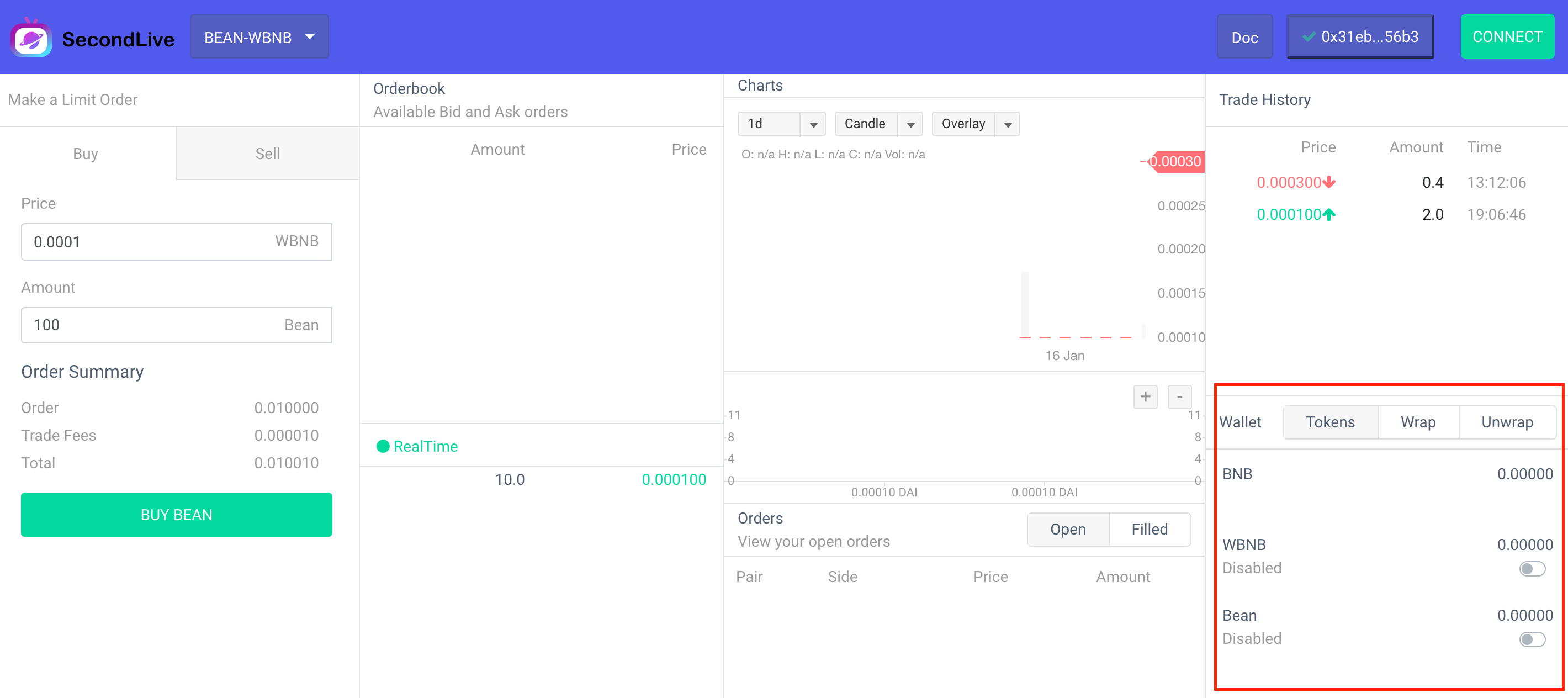
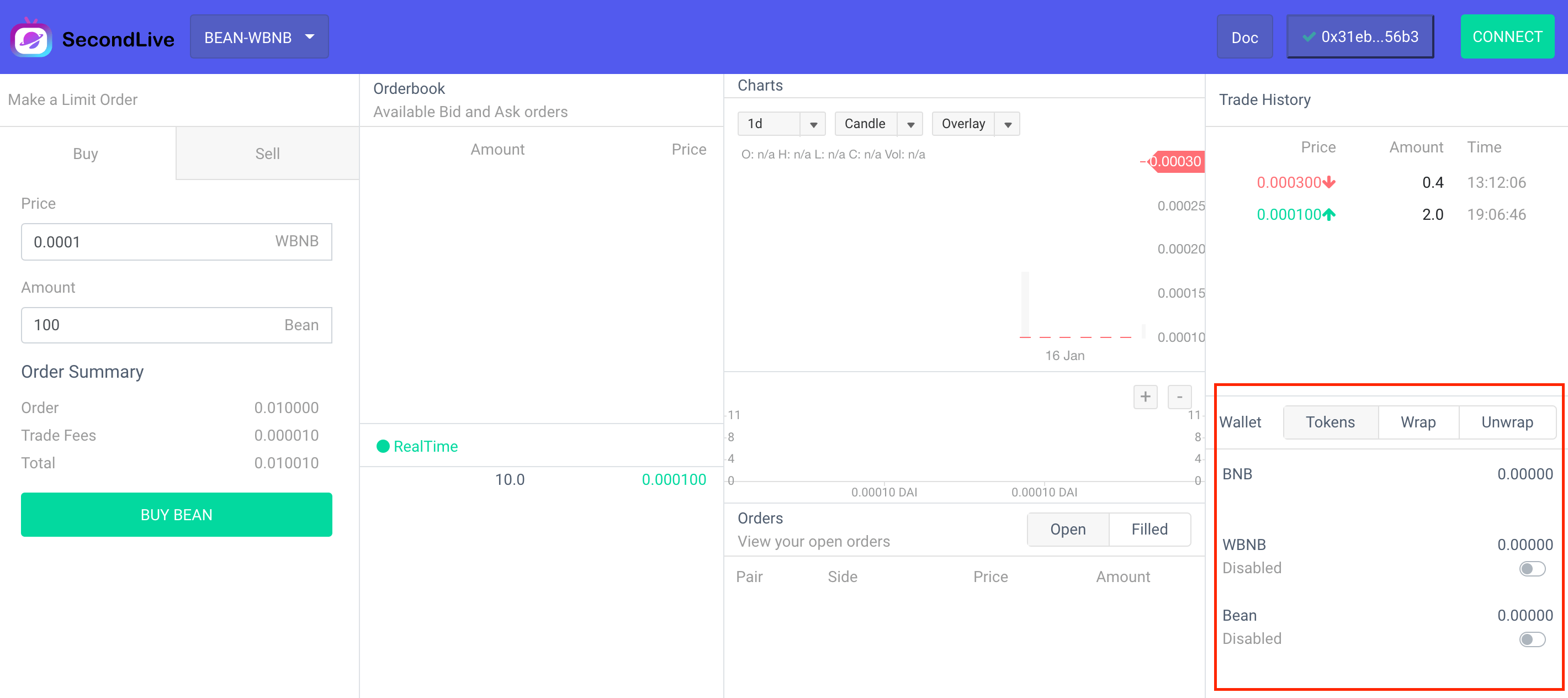
Dapp The transaction does not require pre-recharge, which can ensure the security of funds. Before the transaction, it is necessary to authorize part of the token quota of the contract, and the token exchange step can be completed when the order is settled on the chain. In addition, the contract does not have any If, It can be used with confidence, and the user can cancel the authorization operation at any time, which can be easily implemented on the interface. Special attention needs to be paid here, the smart contract can only complete the token settlement work, so if you want to use BNB the token to trade, you need to package it first, and the functions WBNB in use can be easily packaged or restored , because you need to execute contract, so it needs to consume a certain amount of GAS, so it is necessary to ensure that the wallet has enough to pay the GAS feed app wrap、 unwrap、BNB WBNB WBNB BNB BNB WBNB

Submit orders
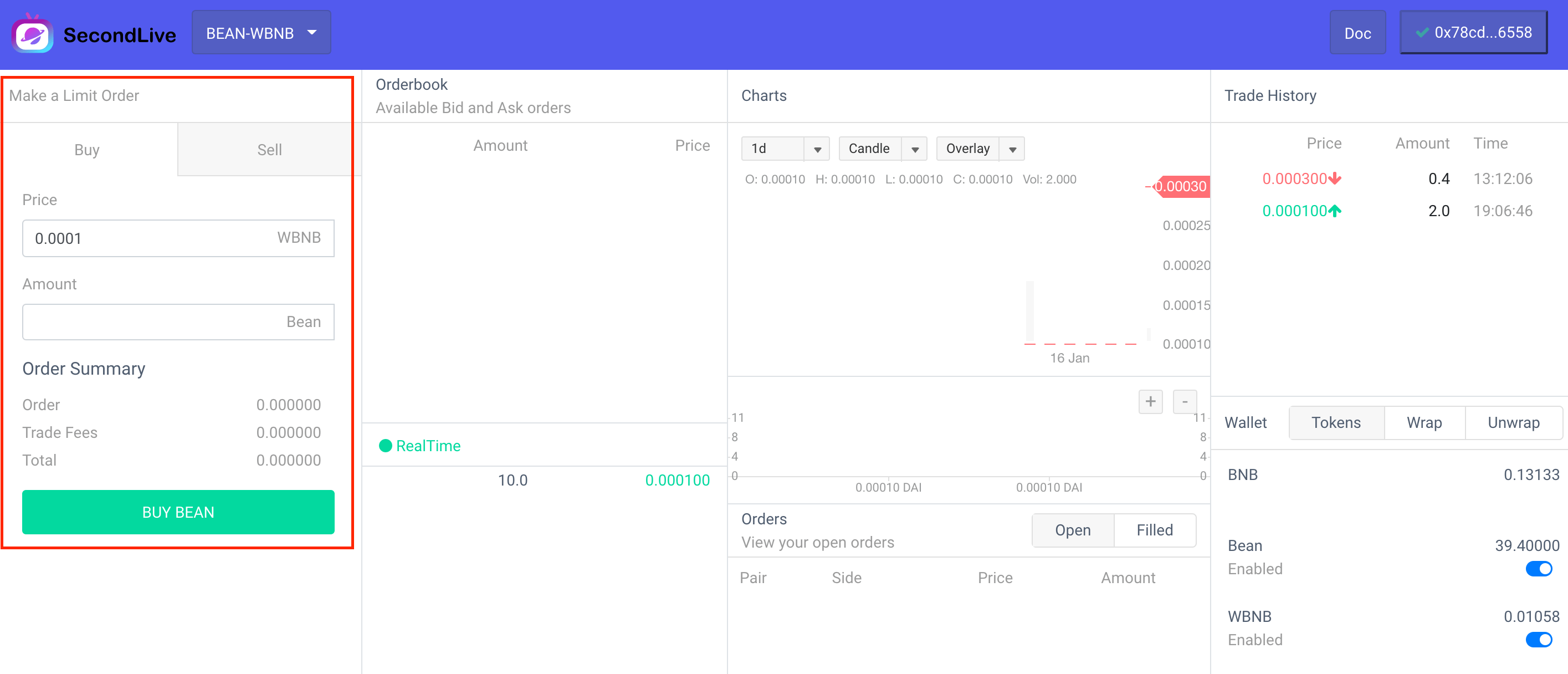
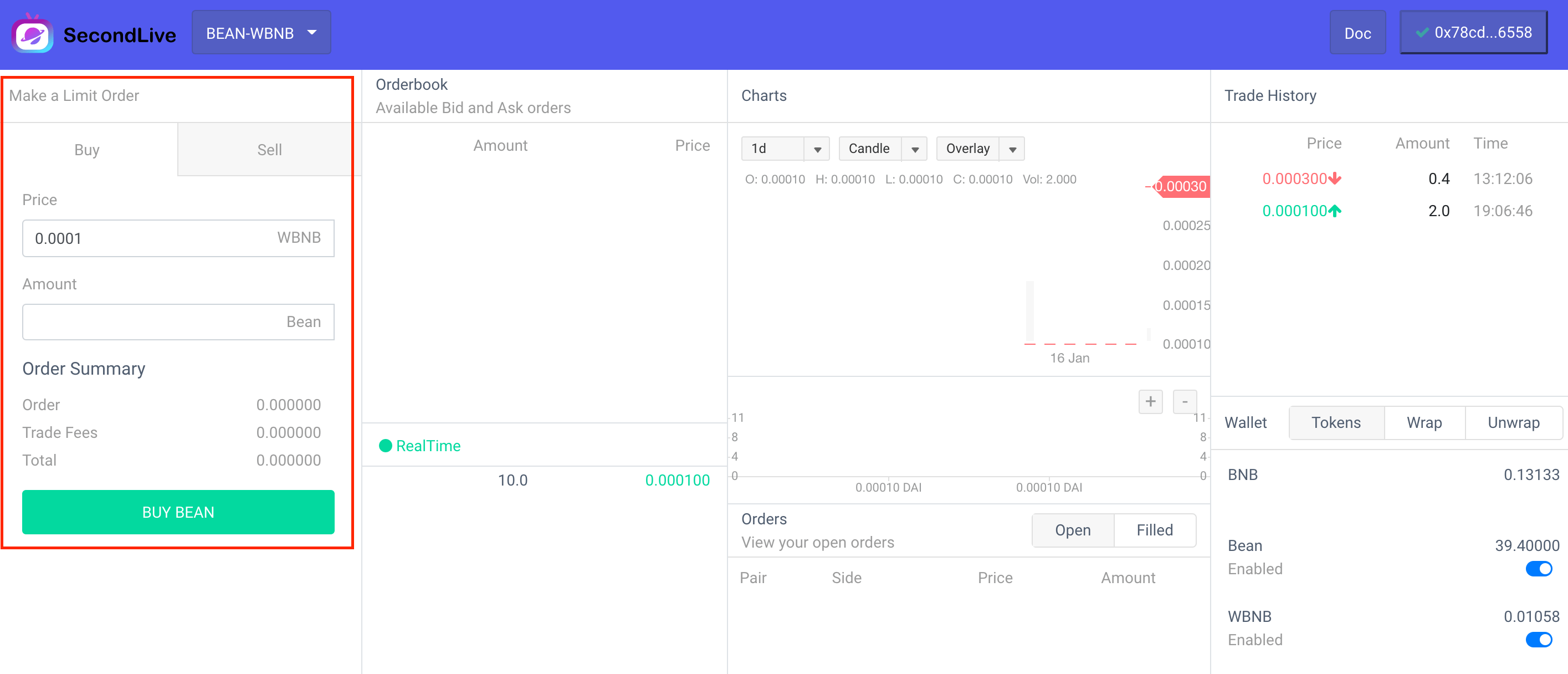
After completing the above steps, you can place an order. dapp There is an order panel in the upper left corner. There are two options, namely Buy and Sell, and the trading pair is BEAN-WBNB, then it BEAN is a base Token, and it WNBN is a quote Token. All trading operations are relative to base Token In other words, the Buy button is now to buy BEAN and sell WBNB, and the Sell button is to sell BEAN Buy WBNB, click the button to place an order, if the user’s balance and authorization meet the requirements, an order will be generated. There are two situations at this time:

  • If there is a counterparty transaction order (the order can be completed immediately), the user order will be released to the contract to perform the settlement operation. This step is completed by the contract, so it can ensure the safety of funds
  • There is no counterparty order (the order cannot be completed immediately), the user’s order will be placed in the order list to wait for the transaction

The order operation does not require GAS fees, so it is zero cost

Cancel order

Orders that are not filled after placing an order will appear in the order list. Cancellation can be performed before the order is filled. This step is done off-chain without any gas cost.

Common problem

User orders are submitted to on-chain settlement, but transactions are not executed

The fact that the order is submitted to the chain for settlement does not mean that settlement will definitely occur. If the order is found to not meet the requirements during the settlement process, the settlement will be interrupted, but it will be displayed on the dapp as successful. Please rest assured that the user’s funds will not have any loss.
交易说明

交易说明

本交易所是一种混合交易模式,链下提供订单薄功能,所有结算都在链上完成,保证资金安全, 合约部署在 BSC 链上,因此支持BSC链上资产交易。交易步骤分为以下几部分:

  • 连接钱包
  • 选择交易对
  • 授权代币额度
  • 提交订单
  • 取消订单(非必须)
  • 等待订单交易

    连接钱包

    如上图所示, 本交易合约部署在BSC链上, 需要使用metamask并将网络环境切换到BSC主链上,执行点击右上角的CONNECT 按钮,完成连接请求, 只有完成连接才能让dapp 知道交易账户地址.

选择交易对

如上图所示, 在 dapp 左上角可以选择想要交易的交易对信息, 请注意,合约运行于 BSC 链上, 只支持 BSC链上资产交易.

授权代币额度

Dapp 交易不需要预充值, 能够保证资金安全, 在交易前需要授权合约部分代币额度,订单在链上结算时能够完成代币交换步骤,除此之外,合约没有任何可以操控用户资产的如果,可以放心使用,而且用户可以在任何时候进行取消授权操作,这些在界面上都可以很容易实现。这里需要特别注意, 智能合约只能完成 代币结算工作,因此如果想要使用 BNB代币进行交易需要首先包装成 WBNB, 使用dapp中的 wrapunwrap 功能可以很方便的实现将 BNB 包装成 WBNB 或者将 WBNB 还原成 BNB, 因为要执行合约,因此需要消耗一定 BNB GAS, 因此需要保障钱包拥有足够的 WBNB来支付 GAS 费用

提交订单

完成上述步骤后,可以进行下单操作, 在dapp的左上角有下单面板, 有两个选项,分别是BuySell, 交易对为BEAN-WBNB,那么 BEAN 是 base Token, WNBN 是 quote Token,所有的买卖操作都是相对于 base Token而言的,现在 Buy 按钮是 买入 BEAN, 卖出 WBNB,Sell 按钮是 卖出 BEAN 买入 WBNB,点击按钮下单,如果用户的余额以及授权满足要求,将会生成一个订单, 此时有两种情况:

  • 有对手交易单(能够马上完成订单成交), 用户订单将会发布到合约执行结算操作,这一步由合约完成,因此能够保证资金安全
  • 没有对手单(不能马上完成订单成交),用户订单将放置到订单列表中等待成交
    下单操作是不需要花费 GAS费用的,因此是零成本的

取消订单

下单后没有成交的订单将会出现在订单列表中,在没有成交前可以执行取消操作,这一步是在链下完成,没有任何 GAS成本

常见问题

用户订单被提交到链上结算,但是没有执行交易

订单被提交到链上进行结算不代表结算一定会发生,如果在结算过程中发现订单不满足要求,那么结算会被中断,但是在dapp上是显示成功的,请放心用户的资金不会有任何损失.

Help

Manual

abstract

This is a decentralized trading website, the exchange is set up to provide free trading for ‘SecondLive Token’, currently only supports’ SecondLive Bean/WBNB ‘trading pairs, all funds are held by users. There is no need for pre-charging, ‘Token’ transfers are done by contract (signature verification is performed on user-generated orders), and the exchange adopts a mixed mode to complete transactions:

  • Complete order matching offline (find trade order pairs that match sell orders and buy orders)
  • Online order settlement (check order information, complete order transaction settlement, fund transfer)

In this mode, users do not need to pay any ‘GAS’ fees when placing an order. A handling fee (1/1000) is charged after the online settlement. Therefore, users are free to place an order and cancel the operation without incurring transaction fees or ‘GAS’ fees as long as the order is not completed.

操作说明

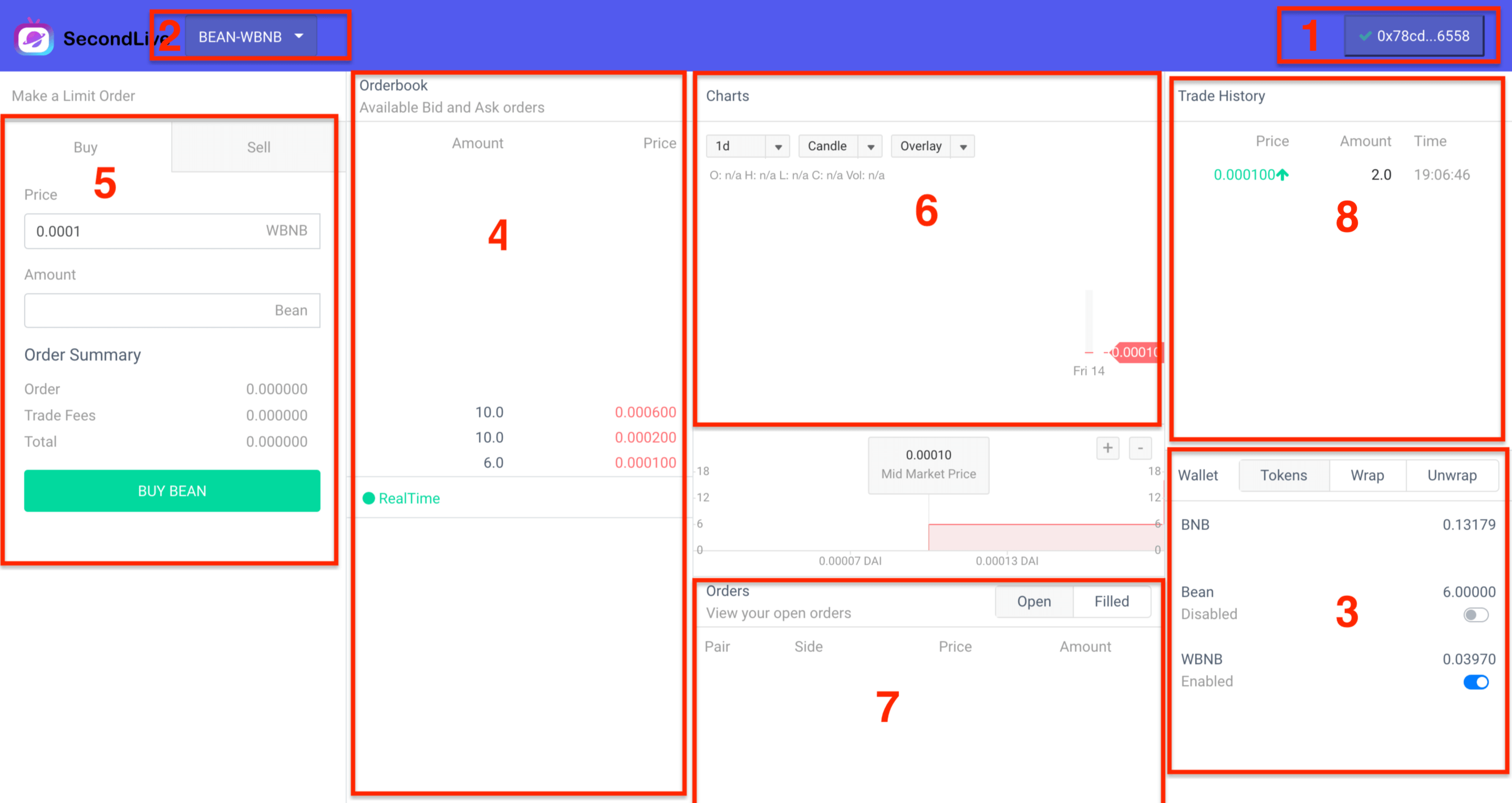
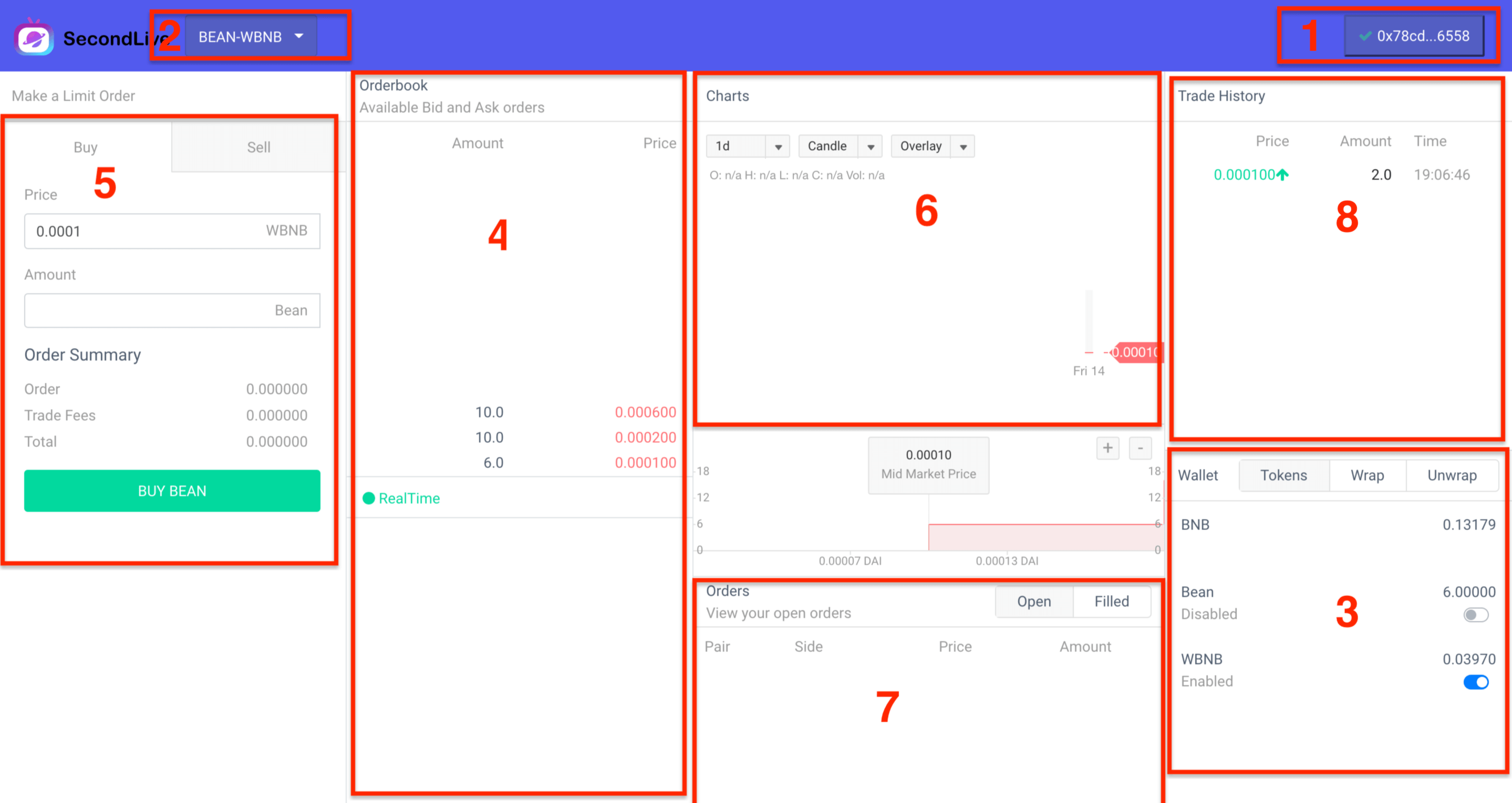
As shown in the figure above, the trading venue is divided into eight parts:

  • 1、Wallet management component, through which you can choose the wallet account for transactions, currently support a variety of mainstream wallets, but also support the creation of web wallets (not recommended), recommended the use of ‘MetaMask’ wallet
  • 2、Trade pairs to select components, such as the ‘bean-wBNB’ shown in the figure, and the ‘BEAN’ (SecondLive BEAN) and ‘WBNB’ (BNB BEP token wrapper) swaps will be performed
  • 3、Account balance component, which can view information about the ‘Token’ balance of the current account and the status of ‘Approve’ authorization under the balance. If the status of ‘Approve’ authorization is open, To place an order using the corresponding ‘Token’, for example, to sell a ‘BEAN’, the ‘BEAN’ must be authorized to place an order. Also, if you are a Taker, you will be charged GAS charges, which are made through the WBNB transfer, ‘WBNB’ can convert ‘BNB’ to ‘WBNB’ through the ‘Wrap’ function, and of course it can convert ‘WBNB’ to ‘BNB’ using the ‘Unwrap’ function
  • 4、The order book component displays the list of existing orders to be traded, the upper part is the sell order, the lower part is the buy order
  • 5、Transaction component, user order interface, there are ‘buy’ and ‘sell’ two operations, transaction pairs are divided into ‘Base Token’ and ‘Quote Token’, such as’ bean-wbnb ‘, ‘BEAN’ is a Base Token, ‘WBNB’ is’ Quote Token ‘. ‘Buy’ and ‘sell’ are opposite to ‘Base Token’. ‘Buy’ means to buy ‘Base Token’ and sell ‘Quote Token’ at the same time.
  • 6、Trade K chart, draw ‘K’ chart based on trade history information
  • 7、’Open’ refers to orders placed by the user but not completed or only partially completed (not completed), which the user can cancel at any time without charge. ‘Filled’ refers to transaction orders submitted to the chain
  • 8、Transaction history, orders that have been settled on the chain

| If a user places an order that results in an order transaction (for example, there was a 0.1 buy, a second user submits a 0.1 sell, and the second user is’ Taker ‘)

Match Algorithm

The transaction adopts the price-time priority matching strategy, which is matched according to the price matching principle at first. If the prices are the same, match them in chronological order, for example, if a sell order of ‘10’ 0.001bnb and a sell order of ‘20’ 0.003bnb exists, and someone generates a buy order of ‘20’ 0.003bnb, Then ‘10’ will be sold at ‘0.001’ and ‘0.003’ respectively

帮助文档

使用文档

简介

这是一个去中心化交易场所, 搭建本交易所是为了 SecondLive Token 提供自由交易,目前只支持SecondLive Bean/WBNB 交易对, 所有资金都由用户保管,无需预充值, Token 转账都是由合约完成(会对用户生成的订单进行签名校验),同时本交易所采用混合模式完成交易:

  • 线下完成订单配对(找到卖单和买单匹配的交易订单对)
  • 线上完成订单结算(校验订单信息,完成订单交易结算,资金转账)

采用该模式用户下单无需支付任何 GAS 费用, 当订单匹配完成,线上结算后才会收取手续费(手续费是千分之一), 因此用户可以自由执行下单,取消操作,只要没有完成阶段都不需要承担交易费用以及GAS费用。

操作说明

如上图所示, 可以交易场所分为8个部分:

  • 1、钱包管理组件, 通过该组件可以选择进行交易的钱包账户,目前支持主流的多种钱包,还支持创建网页钱包(不推荐使用),推荐使用 MetaMask 钱包
  • 2、交易对选择组件, 例如图中显示的BEAN-WBNB, 那么将执行 BEAN(SecondLive Bean) 与 WBNB(BNB BEP代币包装) 互换
  • 3、账户余额组件, 可以查看当前账户所拥有的Token 余额信息, 以及余额下的 Approve 授权状态, 只有 Approve 授权状态为开的时候,才能使用对应 Token 进行下单, 例如 要卖 BEAN 时, BEAN 必须要授权才能下单. 同时如果你是 Taker 时, 那么将会收取一定的 GAS 费用, GAS费用收取是通过转账 WBNB 完成的,所以账户必须拥有 WBNBApprove 授权状态打开. WBNB 可以通过 Wrap 功能 将 BNB 转换成 WBNB, 当然使用 Unwrap 功能可以将 WBNB 转换成 BNB
  • 4、订单薄组件,显示当前存在的待交易订单列表, 上半部分是卖单, 下半部分是买单
  • 5、交易组件, 用户下单界面,有 两个操作, 交易对分为Base TokenQuote Token, 例如 BEAN-WBNB, BEAN是 Base Token, WBNBQuote Token, 是相对 Base Token 来说的, 就是 想要买 Base Token,同时卖出 Quote Token.
  • 6、交易K线图, 根据交易历史信息画出 K线图
  • 7、和当前用户相关的订单信息, Open 是指的是用户下的订单,但是未成交或者只有部分完成的订单(未完成), 用户可以随时进行取消,无需任何费用, Filled 是指以提交到链上的交易订单
  • 8、交易历史记录,已完成链上结算的订单呢信息

| 如果用户下的订单促成了订单交易(例如,原先有一个0.1的买单, 第二个用户提交了一个0.1的卖单,第二个用户是Taker)

匹配说明

交易采用价格时间优先匹配策略, 首先按照价格匹配原则进行匹配,价格一样时,按照时间顺序进行匹配,例如当前存在 100.001 BNB卖单以及200.003BNB的卖单时, 如果有人生成了 200.003 BNB 的买单, 那么将会分别以 0.0010.003 价格各成交 10